
See where your Amazon money actually went.
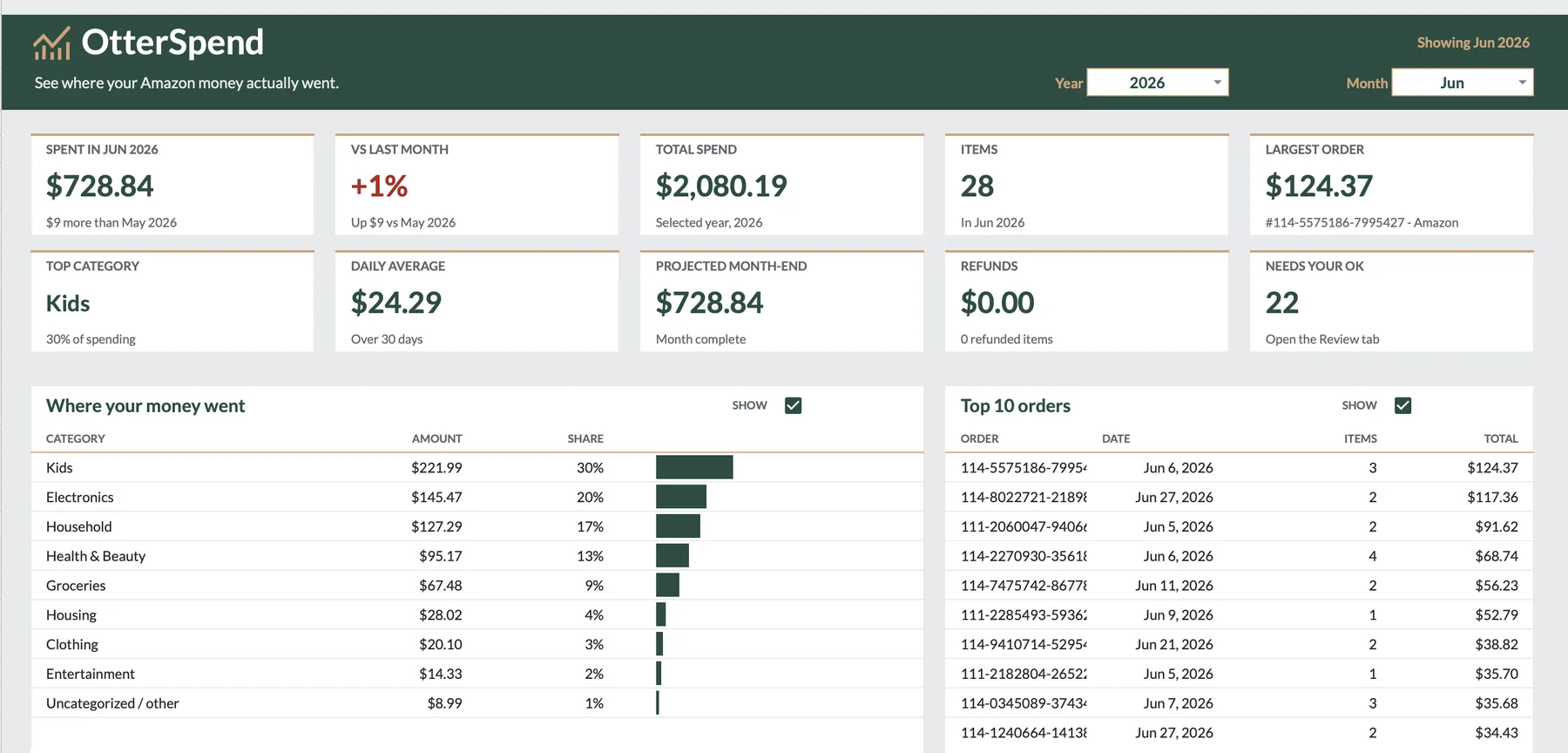
OtterSpend is a Google Sheets tracker. Import your Amazon order history, sort every item into a category, and watch your month add up. Pay once. No subscription. No bank linking.
Works with a free Google account.
Your statement says “AMAZON.” OtterSpend says what.
A single card charge can hide kids’ supplies, groceries, household items and vitamins. OtterSpend works from your order history, so every item gets its own category instead of one lump labeled “Amazon.”
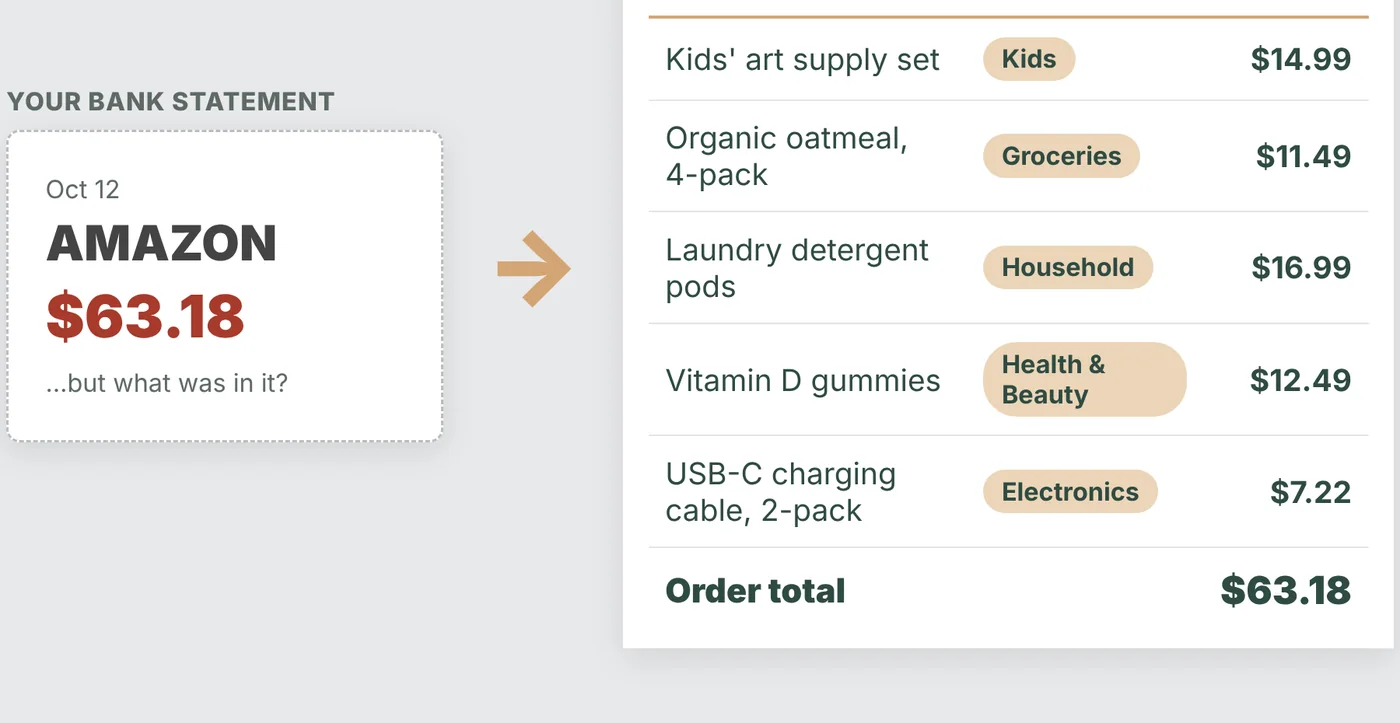
Sample data shown.
Three steps. Your data stays in your own Google Drive.
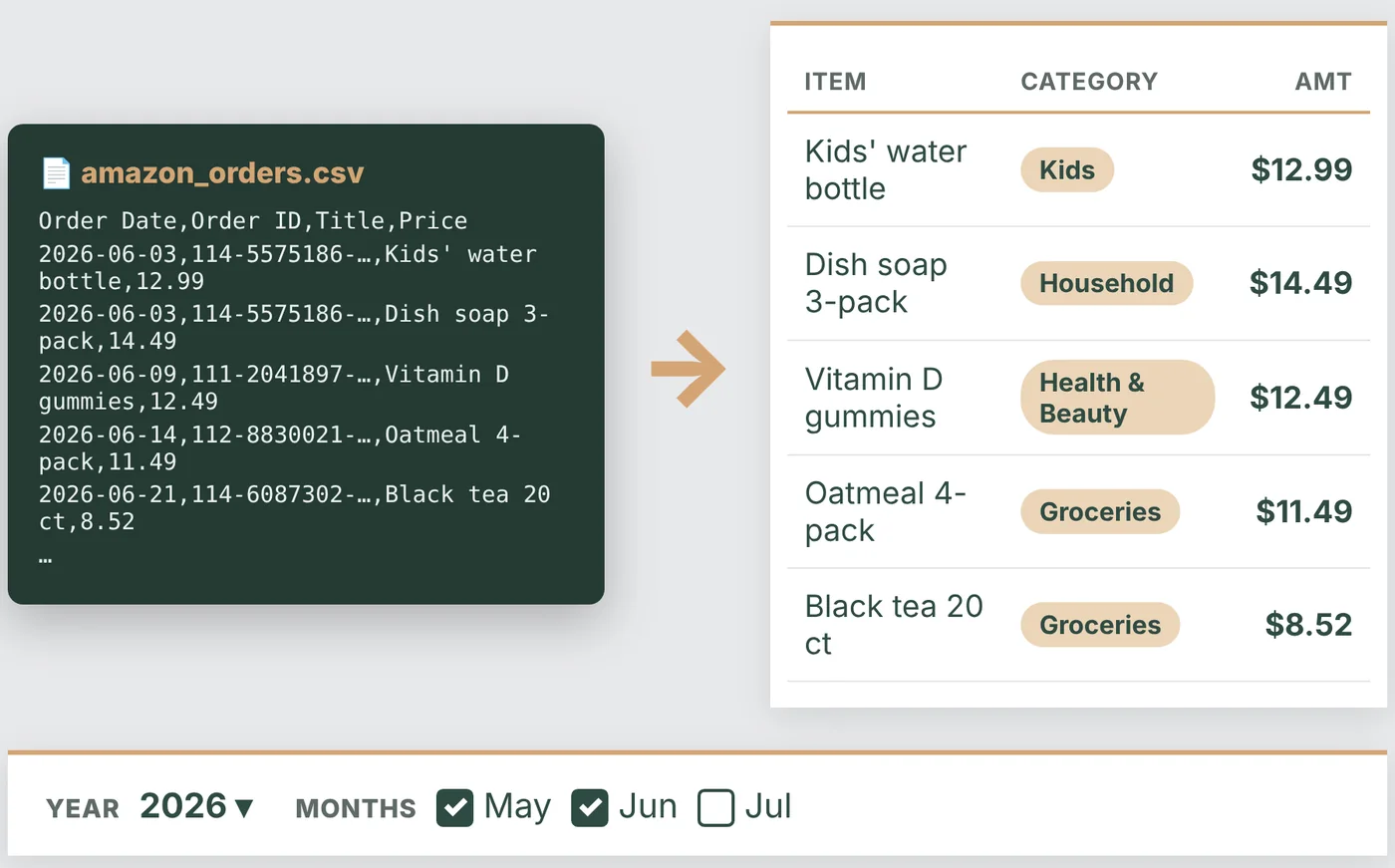
Import your CSV
Pick a year and the months you want, then import your Amazon order history. Items are categorized automatically.
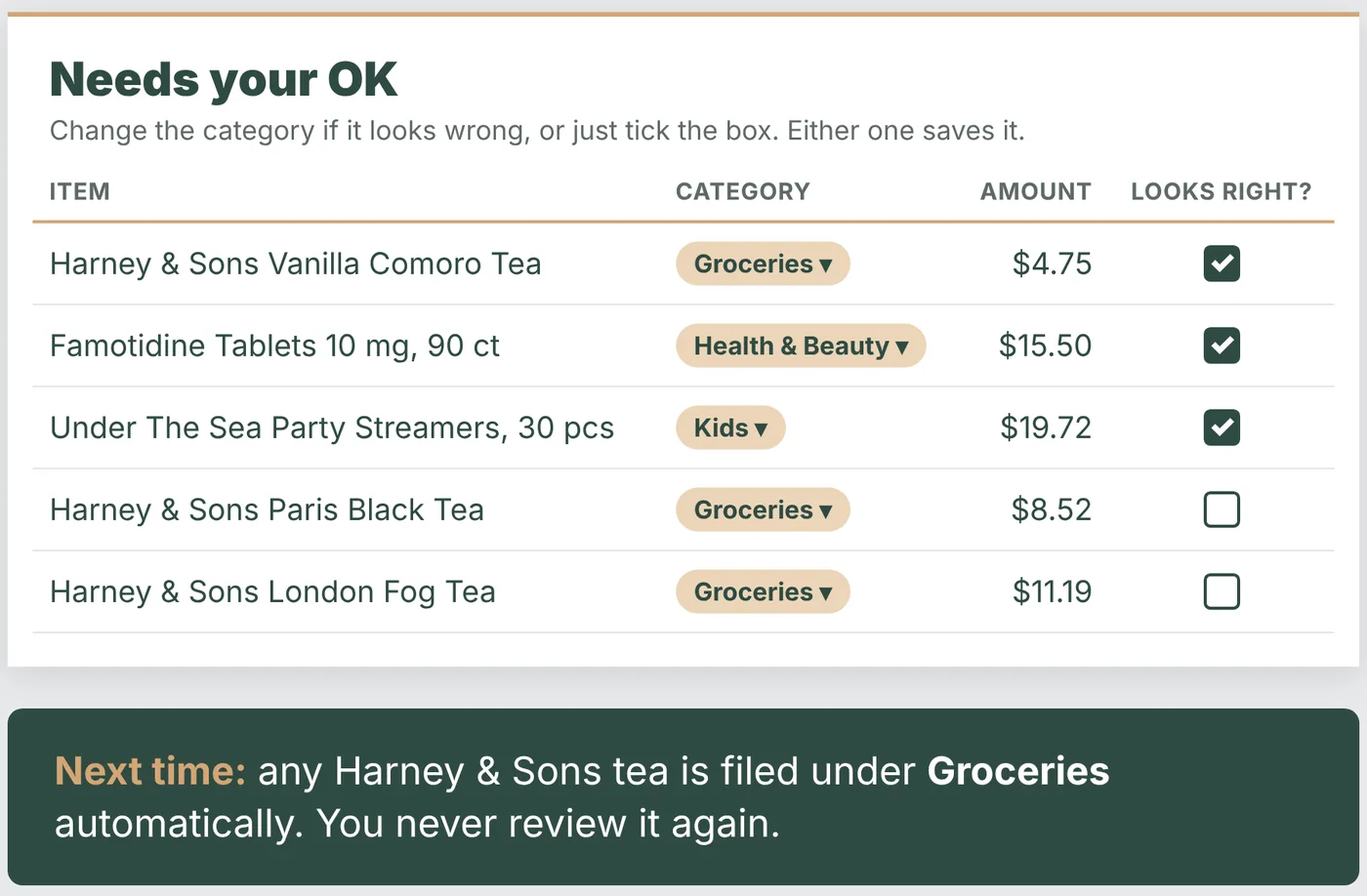
Approve once
Change a category, or just tick the box. OtterSpend remembers, so the same item is filed correctly next time and you never review it again.
See your month
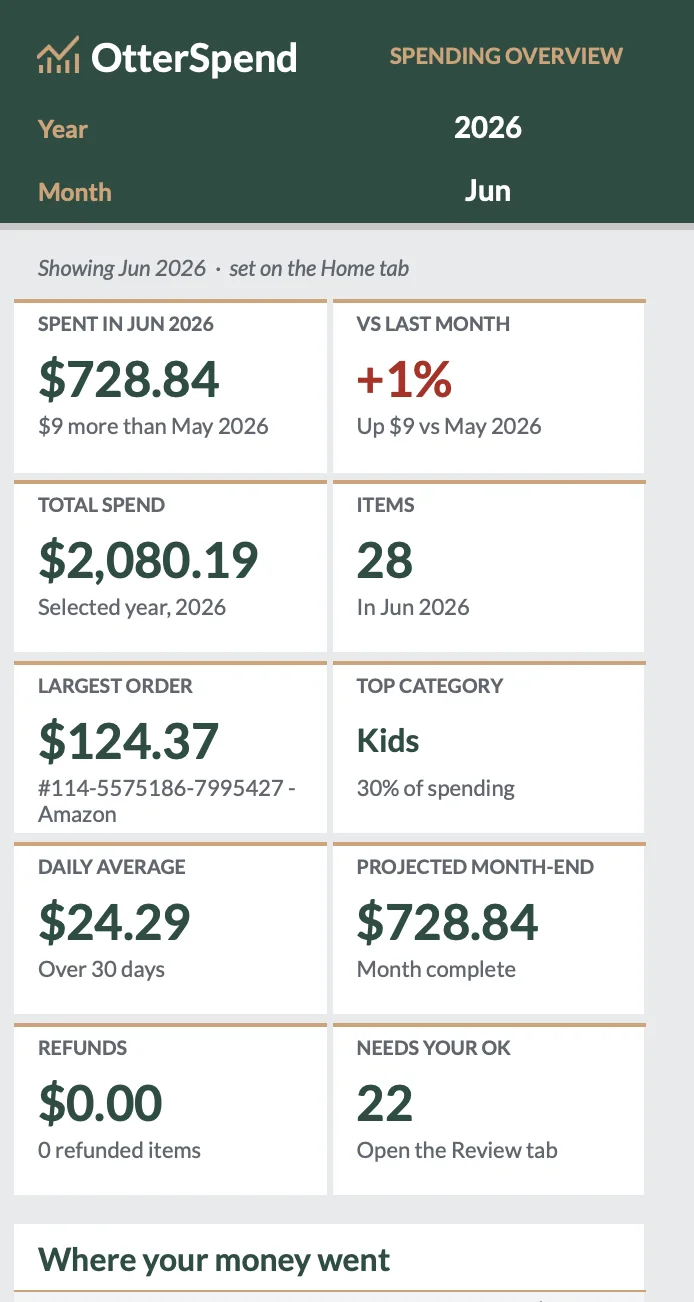
Ten clear numbers on one Home dashboard. Switch month and year with two dropdowns.
- Spent this month
- Change vs last month
- Total for the year
- Largest order
- Top category
- Daily average
- Month-end projection
- Refunds
- Items this month
- Items waiting for your OK

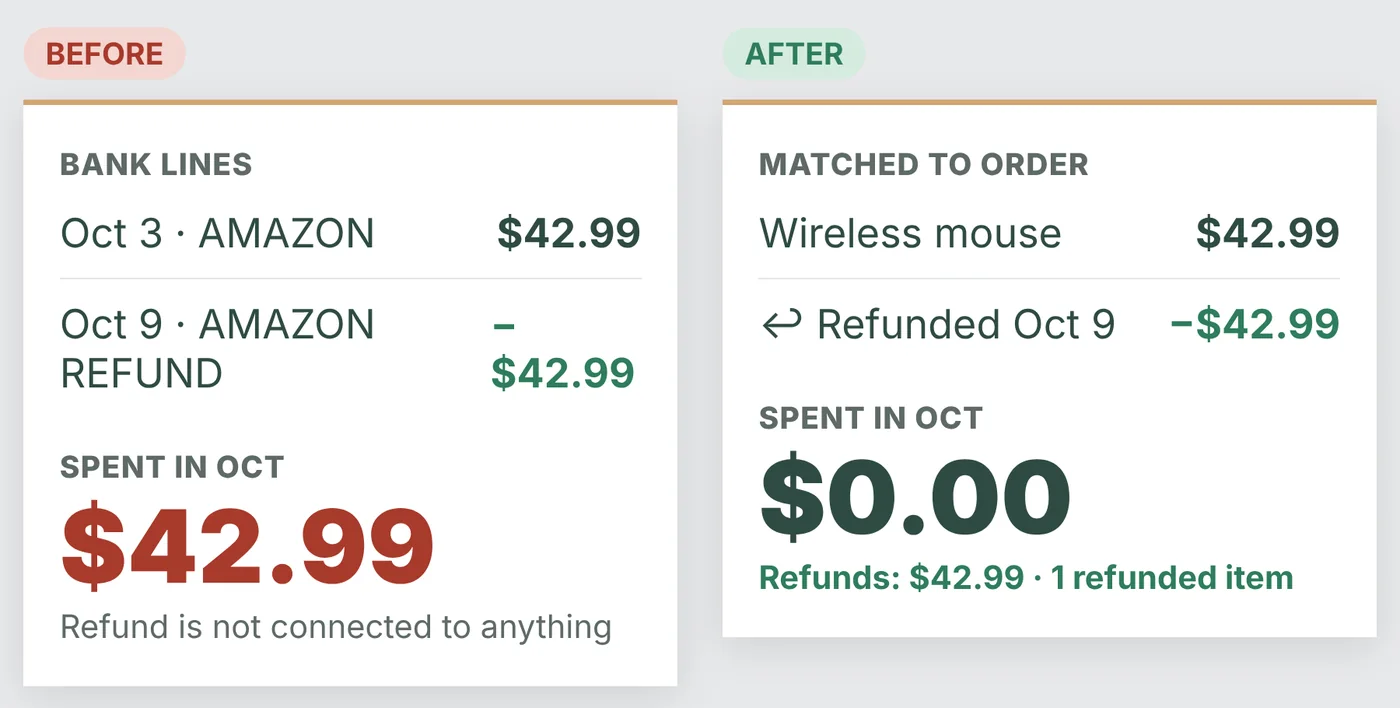
Refunds, matched
Returns are linked to the original order, so you never count money you got back. Your monthly total shows what you actually spent: $0.00 for an order you returned, not $42.99.
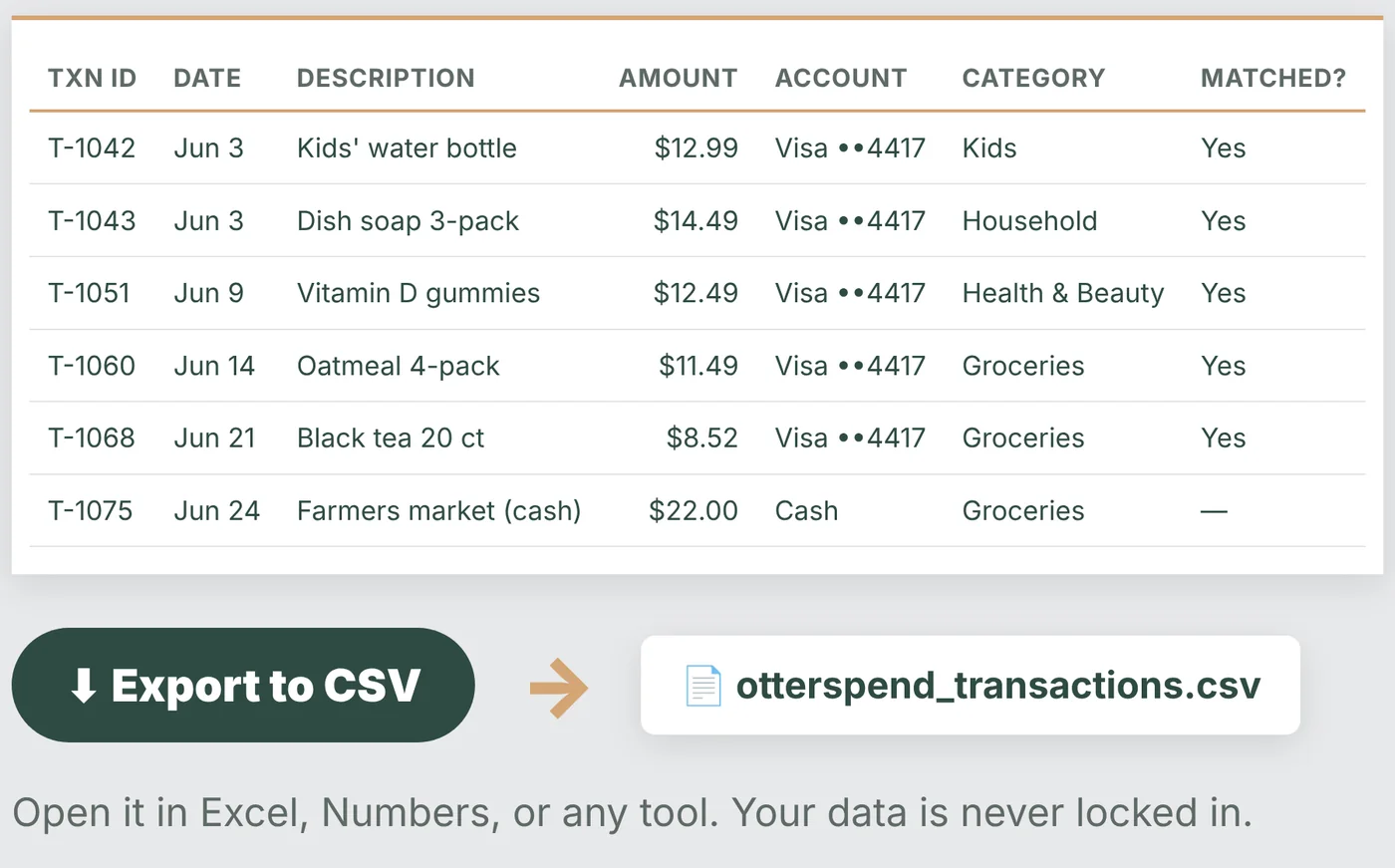
Every transaction is yours to export
Export all transactions to CSV and open them in Excel, Numbers or any other tool. Your data is never locked in.
Pay once. Not every year.
Popular budgeting apps cost about $95 to $100 a year. OtterSpend is one payment, and you keep it.
- OtterSpend$11.99 once
- Copilot$95 / year
- Tiller$99 / year
- Monarch$99.99 / year
Annual list prices from each vendor’s site, checked October 2026, and they can change. The subscription apps also sync with your bank. OtterSpend imports your Amazon orders instead.
What you get
- The OtterSpend sheet: Home dashboard, mobile view, Review, Quick Add and Transactions
- A step-by-step setup guide
- Sample data to try it before you use your own
What you need, and common questions
- A Google accountA free Gmail account works.
- A desktop computerFor setup. Read your dashboard on a phone afterwards.
- One permission promptOn first run. The guide shows each screen.
Do I need to connect my bank account?
No. You import your Amazon order history as a CSV file. There is no bank linking and no third-party server.
Where does my data live?
In your own Google Sheet, in your own Google Drive. Nothing is sent to us.
Is it a subscription?
No. It is a single one-time payment.
Why does Google ask for permission?
Google requires you to authorize any script in your own copy of the sheet. It happens once, and the included guide shows each screen.
What do I need to use it?
A Google account (a free Gmail account works) and a desktop computer for setup. The mobile view is for reading your dashboard on a phone.
How are refunds handled?
Refunds are linked to the original order, so money you got back is not counted as spending.
Can I export my data?
Yes. Every transaction exports to CSV and opens in Excel, Numbers or any other tool.
Is OtterSpend affiliated with Amazon?
No. OtterSpend is an independent product and is not affiliated with or endorsed by Amazon.

Spend smarter. Pay once.
Includes the sheet, a step-by-step setup guide and sample data to try first.
Get OtterSpend on Payhip